
Free Resume Builder That Doesn't Lock You Out.
ATS-tested templates. PDF export free, forever. No watermark, no subscription, no credit card — ever.
Sign in with Google or an emailed code.
Actually free. Here's what that means.
- Free PDF export
- No subscription
- ATS-tested templates
- Sign in
- No watermark
- No credit card
- No auto-renewing trap
- No bait-and-switch
Free templates — every single one exports to PDF
Pick one. Every template is ATS-friendly, watermark-free, and yours to download.
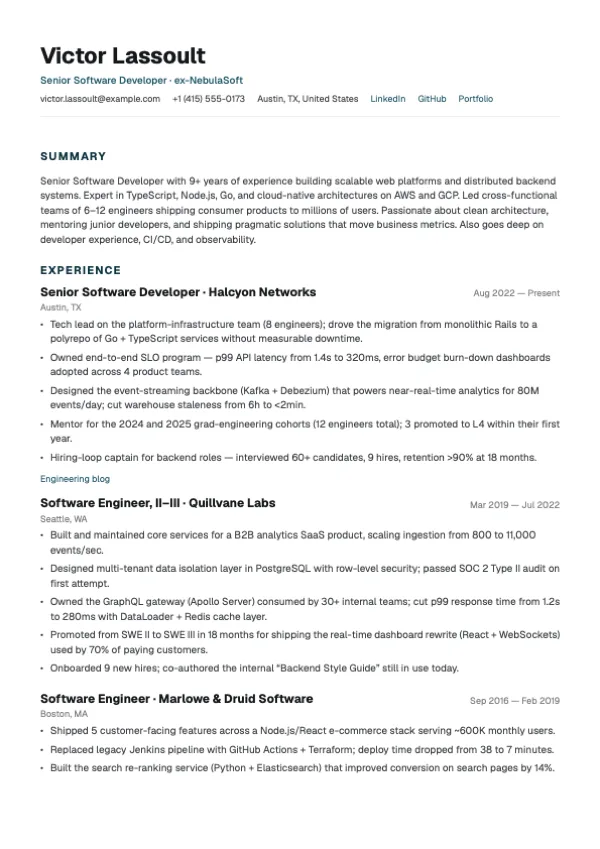
Clean, contemporary. Generous whitespace.
Best for: Tech, startups, modern companies
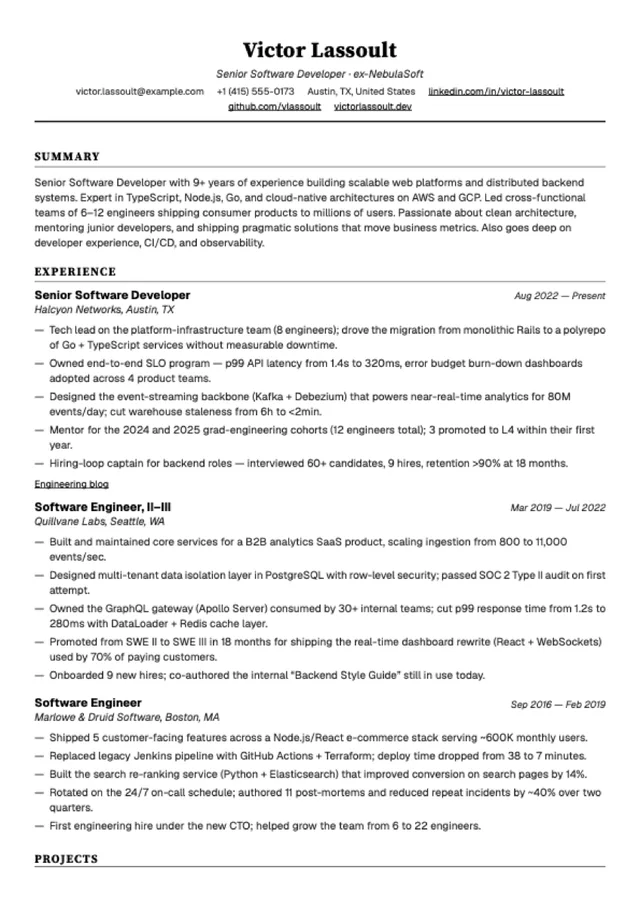
Traditional formatting. Maximum content density.
Best for: Corporate, finance, legal, government
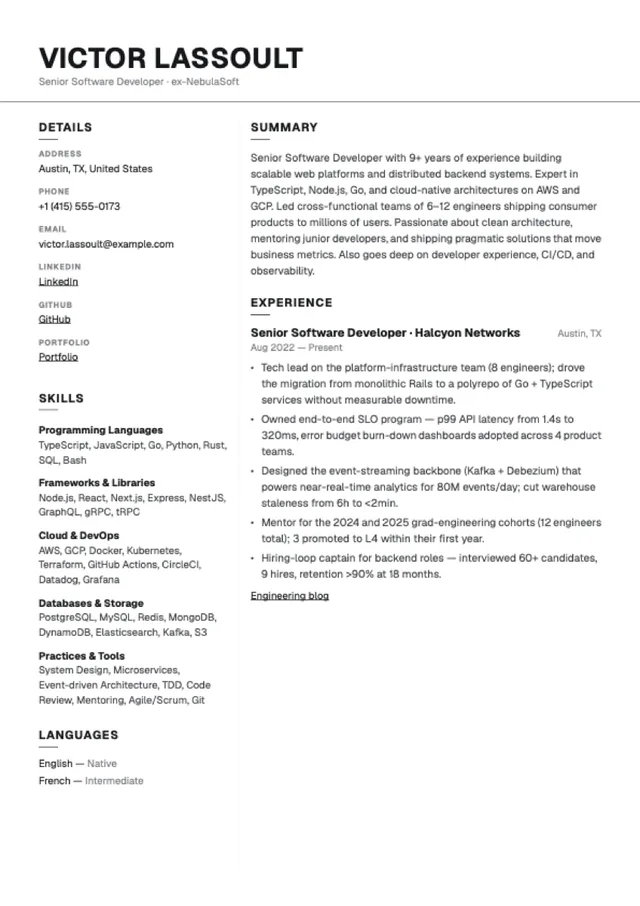
Two-column monochrome. Details + skills rail.
Best for: Generalists, editorial taste, no-color preference
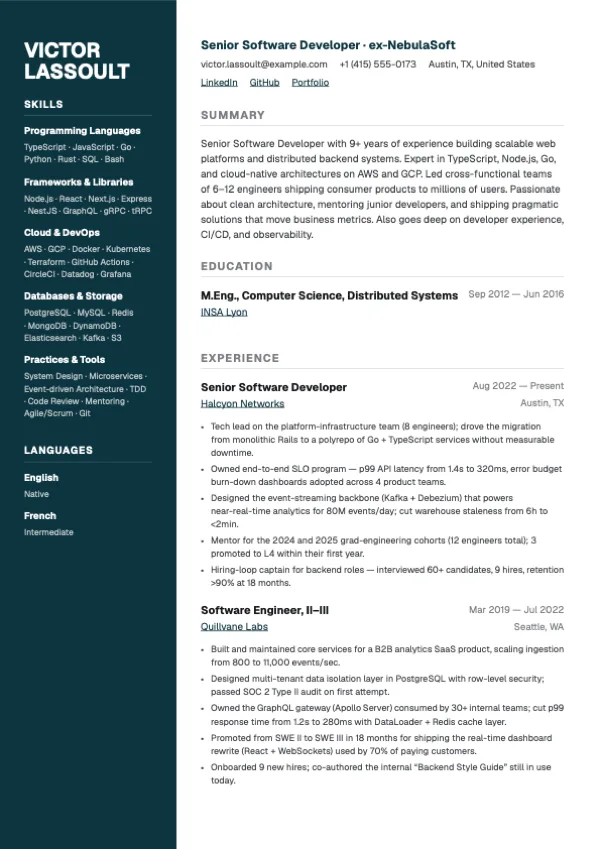
Navy sidebar with picker-driven text accents. Tech-leaning two-column.
Best for: Engineering, data, cloud, technical roles
+ 32 Pro templates available for those who want more. See all templates →
Build a resume in three steps.
Pick a template
Browse the free ATS-friendly designs. No account needed to look.
Fill in your details
Auto-saves as you type. Add experience, skills, education — in any order.
Download your PDF — free
One click. No watermark. No paywall at the finish line.
Why people switch from Zety, Resume.io, and Novoresume
Most resume builders show you a finished resume, then charge you to download it. Resumap doesn't.
| Feature | Resumap | Zety | Resume.io | Novoresume |
|---|---|---|---|---|
| Free PDF download | ||||
| No watermark (free tier) | ||||
| No subscription required | ||||
| ATS-friendly templates | ||||
| No credit card to start |
Competitor data sourced from each builder's own pricing page, May 2026. We update this table quarterly. See /compare/zety, /compare/resume-io, and /compare/novoresume for the full attribute-by-attribute breakdowns.
Frequently asked questions
Is this resume builder really free?
Yes. You can build a complete resume and download it as a PDF for free — no credit card, no trial, no watermark. We offer optional paid credits for AI tools like ATS scanning, but the core builder and PDF export are free.
Do I need to create an account?
Signing in is required to save your resume and download the PDF — either with Google, or with a six-digit code we email you. There's no separate sign-up form, no password to remember, and no credit card. Both routes take seconds.
Will there be a watermark on my downloaded resume?
Never. Every free template exports as a clean, watermark-free PDF, with no export limit.
Is the PDF ATS-friendly?
Yes. All Resumap templates use ATS-friendly DOM order (main column → sidebar) with standard section labels and no skill-bar visual encoding — the parsing patterns that the major Applicant Tracking Systems rely on.
How is Resumap different from Zety or Resume.io?
Zety and Resume.io both run a $1.95-or-$2.95 trial that converts automatically to $25.95-$29.95 every 4 weeks (~$337–$389 annualised). Resumap doesn't — the full PDF export is free on every template, forever, no trial, no card. See our full /compare/zety and /compare/resume-io pages for the line-by-line breakdown.
Can I edit my resume after downloading?
Yes. Your resume auto-saves to your account. Log in anytime to update and re-download — still free, still no watermark.
Pick a template and start writing.
Auto-saves as you type. Export when you're done. That's the whole flow.
Sign in with Google or an emailed code.